You protected your workbooks with LockXLS
You need a maintained tool to keep shipping updates to your customers. Start from your original workbook, protect it with XLS Padlock and send your customers the new application with new activation keys.
Protect
LockXLS protected Excel workbooks and turned them into licensed applications. Its official site no longer offers the product. XLS Padlock does the same work for the workbooks you sell today: it hides formulas, compiles VBA code, locks licenses to a computer and compiles your workbook into an EXE that opens in your customer's Excel.
Checked on October 18, 2026: lockxls.com no longer hosts LockXLS.
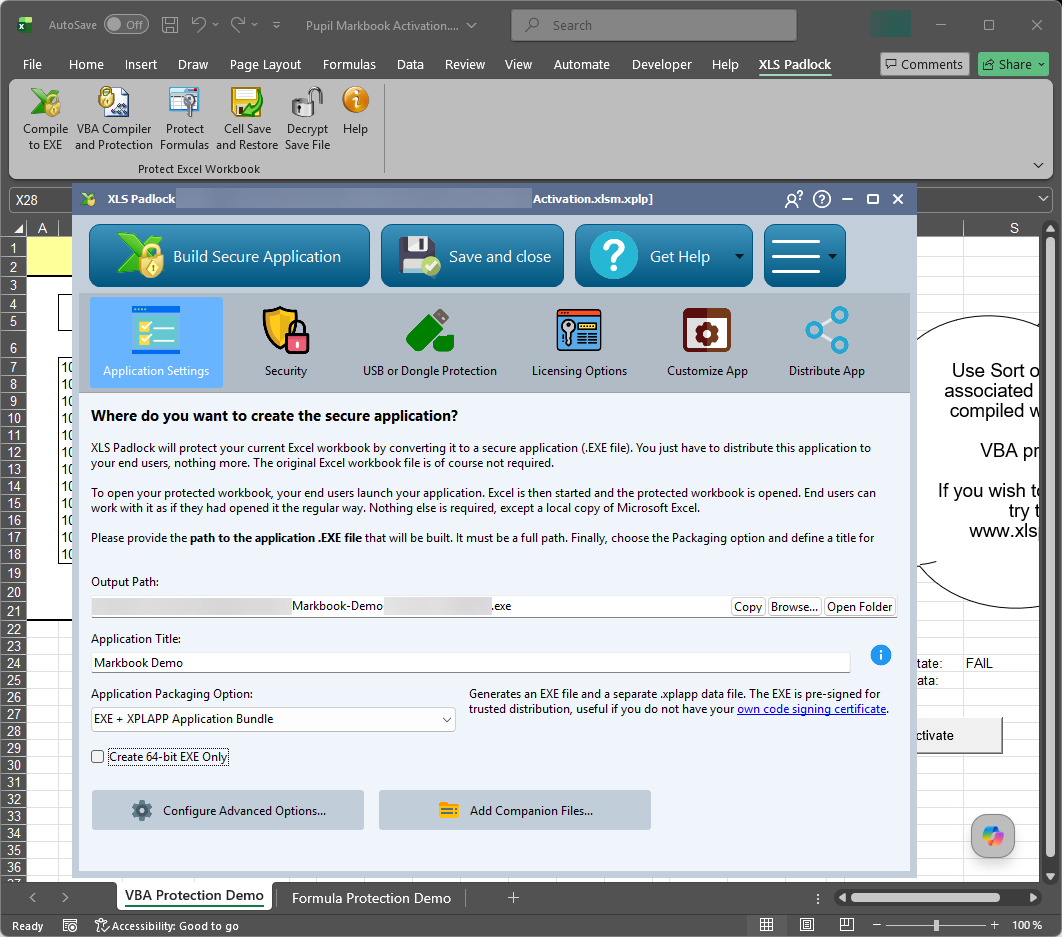
You need a maintained tool to keep shipping updates to your customers. Start from your original workbook, protect it with XLS Padlock and send your customers the new application with new activation keys.
We cannot provide LockXLS files or its runtime. Contact the company or person who sent you the protected workbook: only they can give you a working version.
The LockXLS column lists only what its archived website described. Where that site said nothing, the table says so.
Use the unprotected XLS, XLSX, XLSM or XLSB file you edited before locking it. A LockXLS-protected file cannot be converted.
XLS Padlock installs as an add-in for Excel 2010 or newer and Microsoft 365, and adds its own ribbon tab.
Choose the formulas to hide, compile your VBA code and set the restrictions: saving, printing, copying, exporting.
Turn on activation keys, hardware locking, trial limits or online activation, as your LockXLS project did.
Compile the EXE, build an installer if you need one, and send your customers new activation keys.
We could not find it. On October 18, 2026, lockxls.com no longer hosted the product and its publisher's site did not list it. The latest version in its archived changelog is 7.2.0, from October 2023.
No. Start from your original, unprotected workbook and protect it again with XLS Padlock.
No. XLS Padlock uses its own activation keys. Issue new keys to your customers when you send them the new application.
Yes. Like LockXLS, XLS Padlock runs the workbook in the customer's own Excel: Excel 2010 or newer, or Microsoft 365, 32-bit or 64-bit.
No, we cannot provide LockXLS or its runtime. Contact the company or person who sent you the file.
A license is a one-time purchase of 149 EUR excl. VAT with 12 months of maintenance, and you distribute your applications royalty-free. The free trial never expires; applications compiled with it show a reminder and expire a few days after compilation.
The XLS Padlock features LockXLS users ask about first.
One license, every feature included. Lifetime ownership, no subscription.