

Announcing XLS Padlock 2025: A Major Leap Forward for Your Excel Application Security!
We’re incredibly excited to announce the release of XLS Padlock 2025.0, a landmark update packed with significant new capabilities, security enhancements, and refined user experiences. This release is designed to provide you with further flexibility and protection for your valuable Excel spreadsheets.
Our team has focused on key areas based on your feedback, resulting in one of our most substantial updates yet. Let’s explore the highlights:
🌐Go Global: Introducing Comprehensive Multilingual Support
Breaking language barriers! XLS Padlock 2025.0 introduces extensive multilingual support, enhancing usability for both you and your end-users:
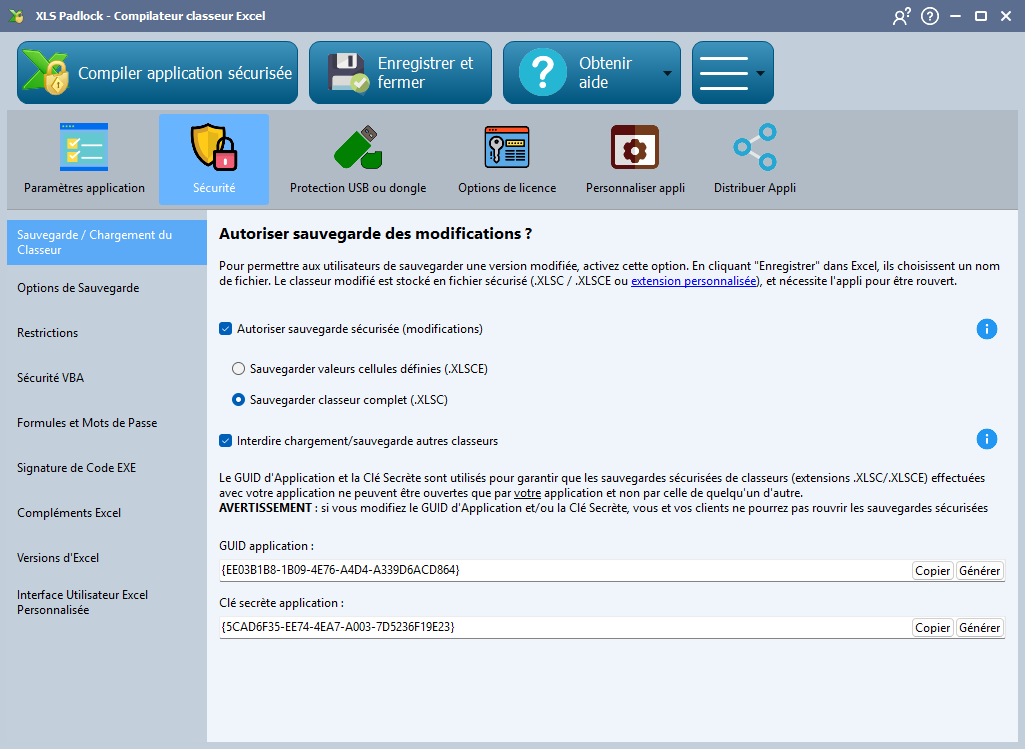
XLS Padlock in French and other languages…
The main XLS Padlock interface you use to build your protected applications is now multilingual! It automatically detects your Windows display language and switches accordingly if a translation is available. You can also manually select your preferred language in the settings.
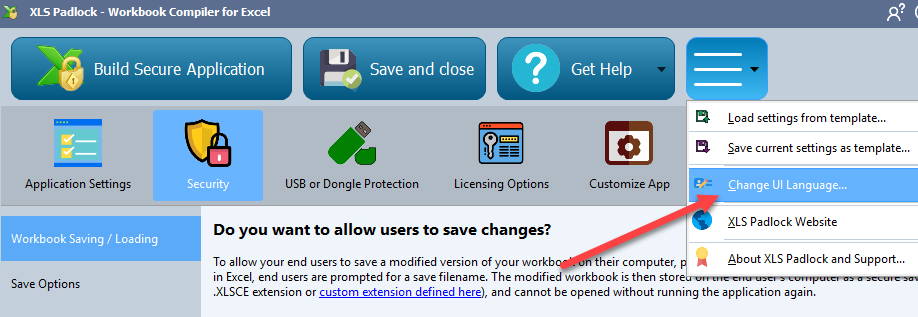
We also updated several languages (.SIL format) for your compiled Workbook Applications: your protected Excel applications can also present their user interfaces (dialog boxes, messages) in the language you define. It’s still possible to completely customize the texts displayed.
Currently supported languages include:
- English
- French
- Spanish
- Portuguese
- Dutch
- German
- Arabic (with Right-to-Left support)
Need another language? We built this feature with extensibility in mind! If you require XLS Padlock or your compiled applications to support a language not yet listed, please let us know! We prioritize adding new languages based on customer requests.
✨Streamlined Deployment: New Standalone Package Format
Simplify distribution with our new standalone executable format. To minimize antivirus false positives with non-signed EXE files, we modified the executable format made by XLS Padlock and we also now use the robust 7z compression (same as 7-Zip) to make smaller EXE files without relying on UPX anymore.
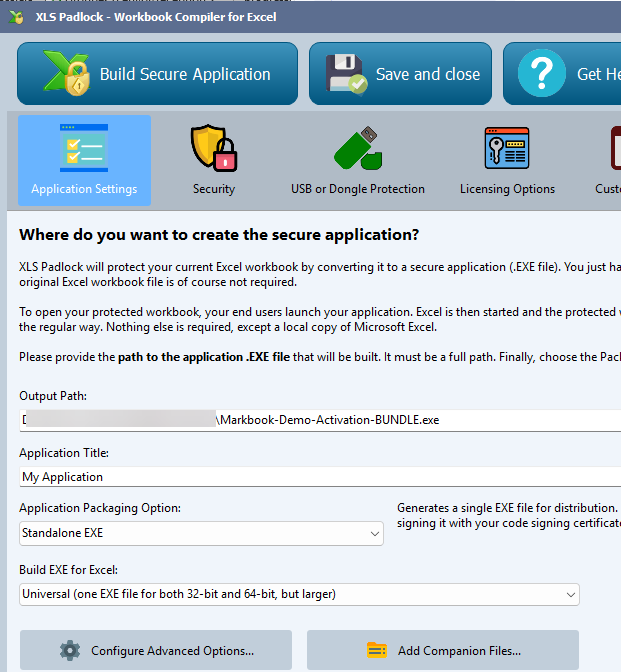
Thus, XLS Padlock can still transform your Excel workbook file into a single, easy-to-distribute .exe file. The runtime is intelligently managed, extracting only when needed, reducing clutter for your end-users.
The EXE Universal mode has also been revisited to simplify the workflow.
📦Simplified Bundle App Format
If you choose the EXE+XPLAPP bundle format, we’ve separated the 64-bit executable loader into a distinct, digitally signed .bin64 file. While this means distributing three files (.exe, .bin64, .xlpapp), this cleaner architecture is recognized more reliably by security software.
☁️Enhanced Signing: Cloud Certificate Support
XLS Padlock offers more flexibility and customization options for EXE code signing.
It’s now possible to use modern and cheaper cloud-based code signing certificates in XLS Padlock 2025. For instance, we introduced built-in support for Microsoft Azure Trusted Signing. For less than 10 USD per month, you can digitally sign your EXE files automatically with a certificate provided and supported by Microsoft.
XLS Padlock 2025 also integrates support for Microsoft’s SignTool.exe, allowing you to seamlessly sign your applications using certificates stored in the cloud or on hardware tokens managed by SignTool.
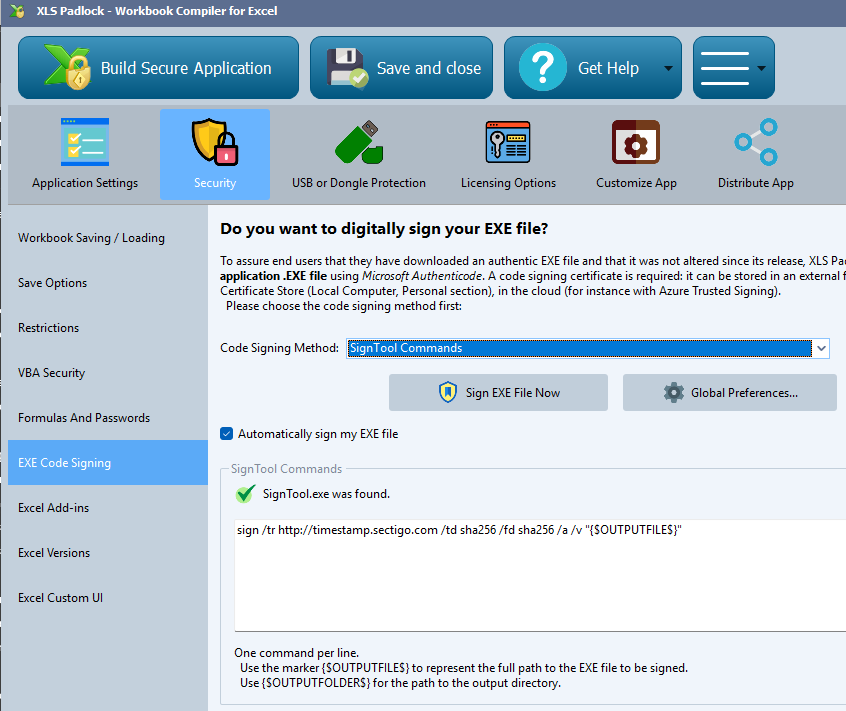
We still provide the traditional signing feature with local certificates or on hardware tokens too. Note that we dropped outdated SHA-1 signing support, relying on SHA256 signatures as recommended by Microsoft’s guidelines.
🛠️Key Enhancements and Fixes in 2025.0
Beyond these headline features, this version brings a host of improvements:
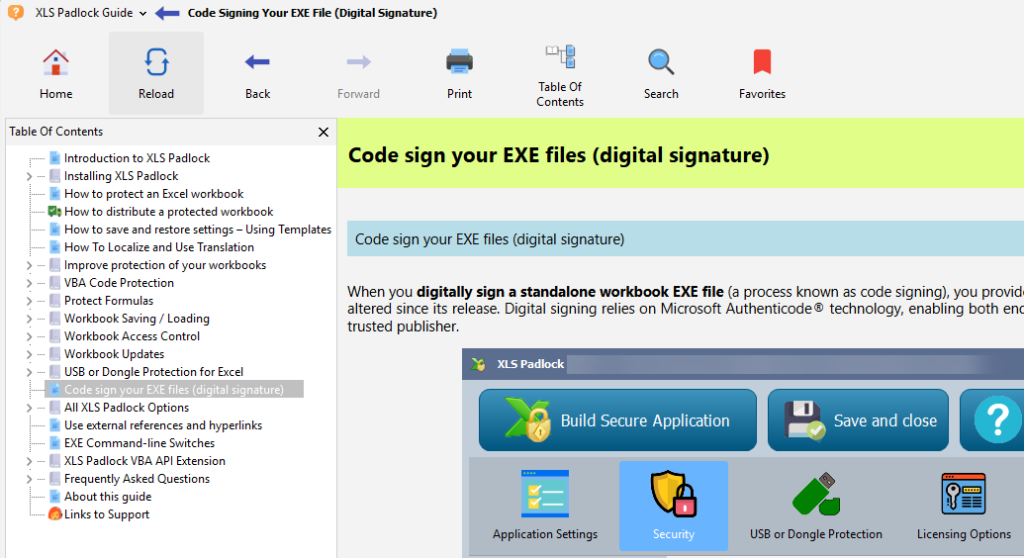
- Updated Help: Documentation is now delivered in a more modern viewer application than the outdated Windows HTML Help Viewer. The context-sensitive feature has been enhanced. In XLS Padlock, just press F1 or the Help button to get the related help topic.
- Modernized UI: XLS Padlock gets a fresh look, complementing the new multilingual capabilities and no more resizing problems for some UI controls.
- Improved OneDrive Handling: Clearer warnings when working with cloud-only OneDrive files.
- Smoother Web Updates: Fixed the restart logic after updates when “Allow one instance” is active.
- Refined Localization: Addressed untranslated text elements and improved language file handling.
- Better Compression: Removed UPX compression to minimize AV conflicts.
- Bug Squashing: Fixed issues related to sheet protection, locked cell interaction, certificate deactivation, universal icons, and more for increased stability.
Dropped EnkySL dongle support.
🚀 Upgrade to XLS Padlock 2025.0 Today!
This major release underscores our commitment to providing the most powerful and reliable Excel protection solution available.
Existing Users: Download XLS Padlock 2025.0 for free if your maintenance is still active. If not, you can renew it with a discount.
New Users: Ready to protect your Excel workbooks like never before? Download a free trial or purchase XLS Padlock today.
We thrive on your feedback! Let us know what you think of this new version, and especially tell us which languages you’d like to see added next, via our feedback forum or our contact form.
ℹ️ Subscribe to our newsletter for upcoming XLS Padlock updates
