EXE bitness
32-bit, 64-bit, or Universal:
an EXE for any Excel.
XLS Padlock compiles your workbook into a standalone EXE where your formulas, VBA, and data stay protected. One setting decides which Excel it runs on: pick 32-bit, 64-bit, or a Universal build that works on both.
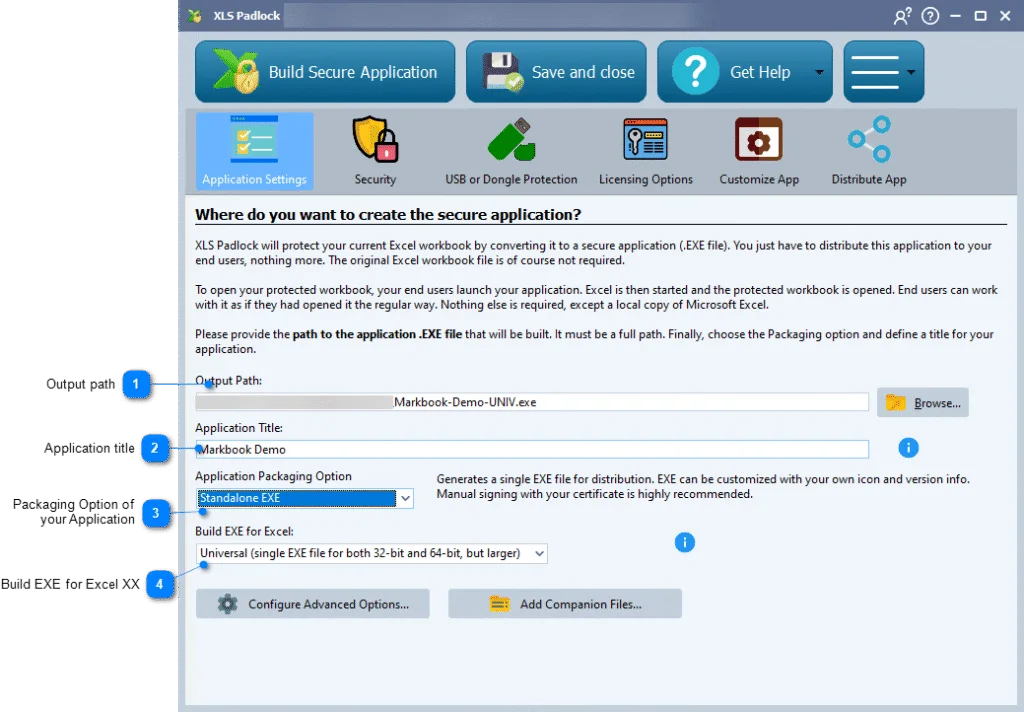
Three targets, one decision.
The Build EXE for Excel list offers three targets. The right one depends on the bitness of your customers' Excel, not their Windows.
32-bit only
- Runs on
- 32-bit Excel only
- EXE size
- Standard
- Choose when
- Every customer runs 32-bit Excel and always will.
64-bit only
- Runs on
- 64-bit Excel only
- EXE size
- Standard
- Choose when
- Every customer runs 64-bit Excel (the default on modern Office 2016 to 2024 and 365).
Universal
Safe default- Runs on
- Any Excel, 32-bit or 64-bit
- EXE size
- About 2x larger
- Choose when
- You do not know, or cannot control, which Excel your customers run.
Run a 64-bit EXE on 32-bit Excel, or the reverse, and the application shows an error message on launch.
It is Excel's bitness that matters, not Windows.
A 64-bit copy of Windows runs 32-bit Excel perfectly well, and most installations do exactly that. XLS Padlock targets the bitness of Excel itself, so check Excel, not the operating system.
Good to know. XLS Padlock can build a 64-bit EXE from a 32-bit copy of Excel, and the reverse. The Excel on your build machine does not limit the target you produce.
How to check your Excel bitness
- 1 Open Excel.
- 2 Go to File, then Account.
- 3 Click About Excel; the bitness, 32-bit or 64-bit, is shown at the top.
Requirement. Building a 64-bit EXE needs a 64-bit (x64) edition of Windows on the build machine.
You stay in control.
XLS Padlock is a one-time purchase, not a middleman between you and your buyers. Everything the protection depends on stays yours.
Shipping since 2013 from G.D.G. Software. A desktop tool you can build a business on.
- The workbook
- Your .xlsx never leaves your machine. You compile it yourself into a standalone EXE.
- The keys
- You generate, count, and revoke activation keys. No per-copy fee, no royalties on your sales.
- The server
- Activations validate against a PHP server you host and own, not ours.
- The customer
- You sell directly. The buyer relationship and the full revenue stay with you.