Targeting 32-bit and 64-bit Excel
Microsoft Excel is available in two architectures: 32-bit and 64-bit. As 64-bit is now the standard for modern versions of Office, most of your users will require a 64-bit compatible application. However, some may still use the 32-bit version, especially on older systems. XLS Padlock allows you to build for both platforms.
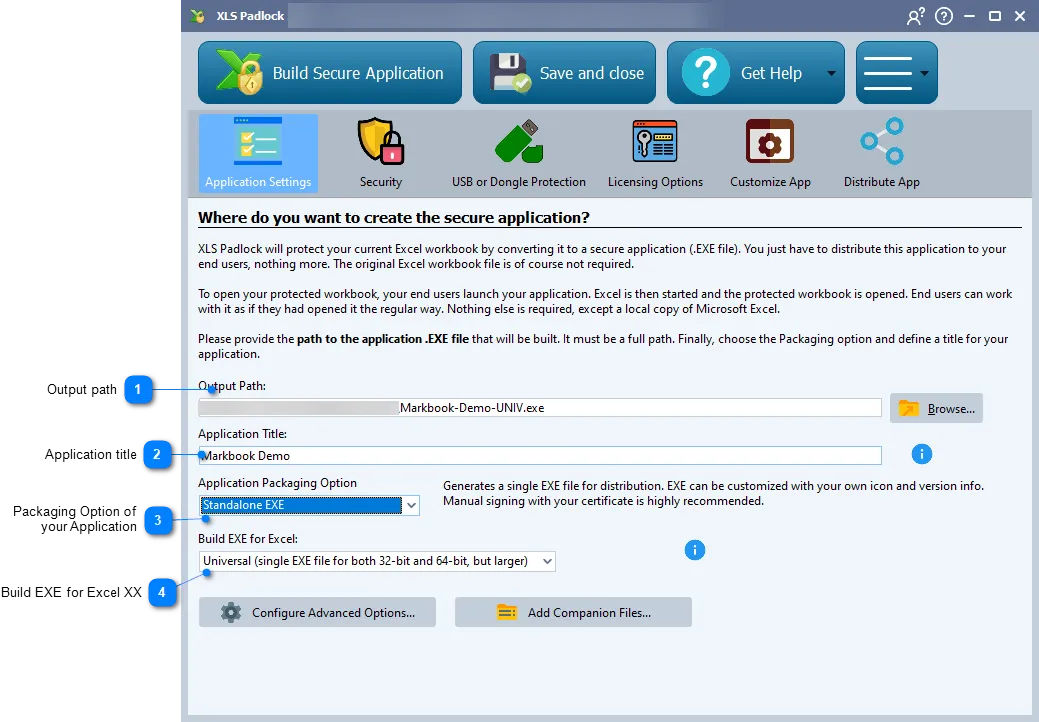
This option is only available for standalone executable files.
👉 Choose the type of EXE file XLS Padlock will generate:
- 32-bit only: Generates an EXE file compatible only with 32-bit versions of Excel.
- 64-bit only: Generates an EXE file compatible only with 64-bit versions of Excel.
- Universal: Creates a single EXE file that works with both 32-bit and 64-bit versions of Excel. This simplifies distribution, but the resulting EXE file will be roughly double the size.
- 32-bit and 64-bit: Generates two separate EXE files simultaneously. To prevent them from overwriting each other, XLS Padlock automatically adds “32” and “64” suffixes to the filenames (e.g.,
MyApp32.exeandMyApp64.exe).