Prevent End-User Access to the VBA Editor
XLS Padlock provides you with options to prevent your customers from accessing the VBA editor (VBE), effectively stopping them from viewing or altering your VBA code while ensuring your macros remain fully functional.
These options are available in the “Security” tab of XLS Padlock.
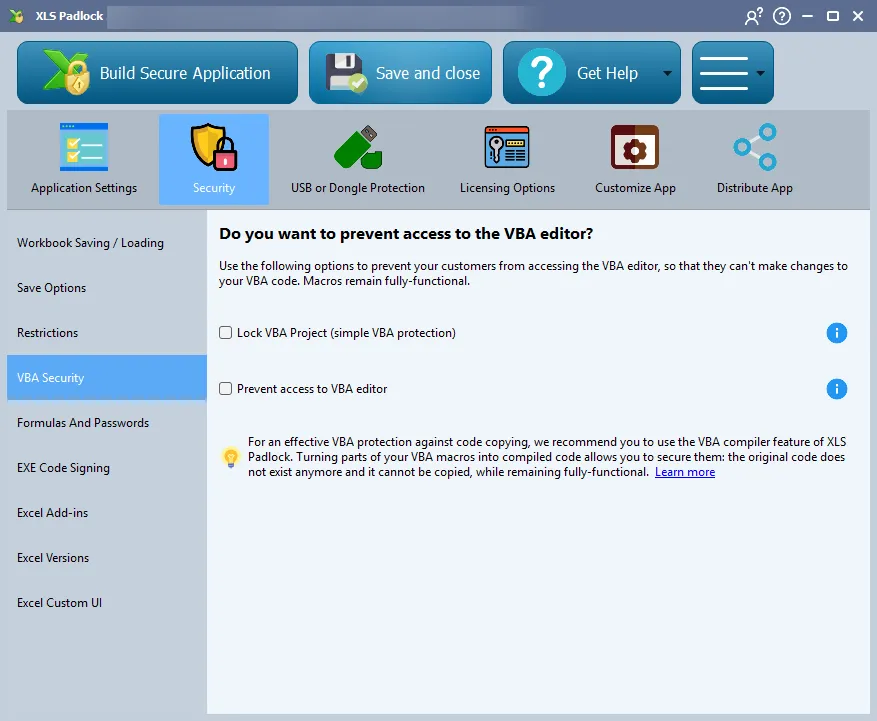
Lock VBA Project (Simple VBA Protection)
Section titled “Lock VBA Project (Simple VBA Protection)”This option programmatically locks your VBA project to impede access. While it offers a basic level of protection, it can be bypassed by some tools.
Prevent Access to VBA Editor
Section titled “Prevent Access to VBA Editor”This is a stronger security measure. XLS Padlock will perform a regular check, and if a user tries to open the Visual Basic Editor (VBE), XLS Padlock will immediately shut down the VBE window. This prevents them from even attempting to view the code.
This option is compatible with the “Lock VBA Project” option and our powerful VBA compiler.
For Ultimate VBA Code Protection
Section titled “For Ultimate VBA Code Protection”👉 For robust protection against code theft and reverse-engineering, we highly recommend using the VBA compiler feature.
By compiling parts of your VBA macros, the original source code is removed and replaced by binary code. This compiled code is extremely difficult to reverse-engineer, ensuring your algorithms and business logic are secure. It’s the most effective way to protect your VBA intellectual property.