Copy the files to your server
In the local folder on your computer where you unpacked the FS Subscription kit, you will find a folder named “xlspadlock-fskit”.
Upload the entire contents of the “xlspadlock-fskit” folder to your web server, for instance with a FTP software. It can be in the root folder of your website, but it can be somewhere else too.
You can then rename the folder to something else if you want, e.g. “subscription”.
Open the “subscription” folder and you should see:
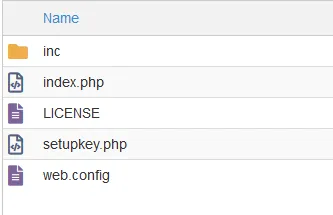
- If you are on Windows IIS, delete the unnecessary .htaccess file.
- If you are on Apache, delete the unnecessary web.config file.