XLS Padlock WooCommerce Integration Kit
In addition to providing remote access control for Excel workbooks, using online activation to secure your workbooks with XLS Padlock has several advantages:
- Anti-piracy protection: Online activation helps prevent piracy and unauthorized distribution of your Excel workbooks by ensuring that only authorized users can access them.
- Flexibility: By using online activation, you can offer flexible subscriptions for your workbooks to your customers, such as monthly, yearly, or lifetime subscriptions, and provide them with the ability to easily renew or upgrade their subscriptions.
- Automatic validation: Online activation enables automatic validation of user licenses, reducing the need for manual validation and improving the overall user experience.
- Deactivation lets customers easily transfer their license from a computer to another.
- Better customer service: With online activation, you can provide better customer service by enabling users to easily activate their licenses and manage their subscriptions, without the need for manual intervention.
Overall, using online activation to secure your Excel workbooks provides a convenient, secure, and flexible way to control user access and protect your intellectual property. You can sell and block access of customers if their subscription expired for non payment.
The workbook applications compiled with XLS Padlock can communicate through a web application powered by this integration kit and your WooCommerce-powered website in order to manage activations automatically.
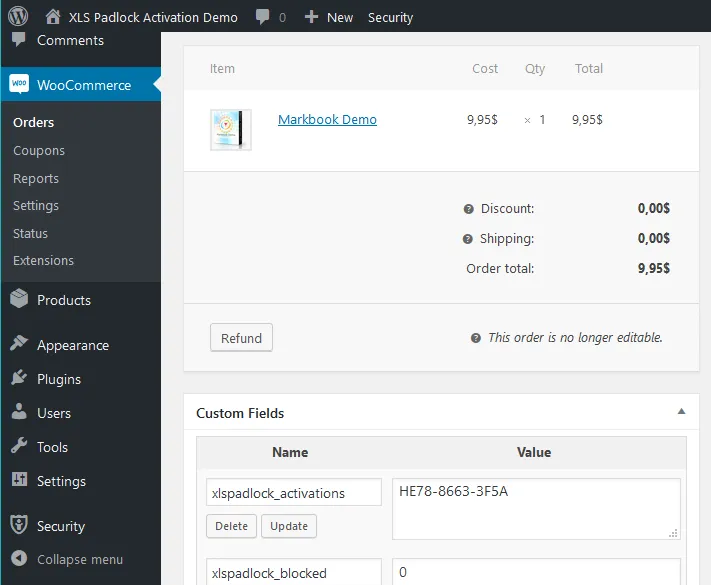
The following guide contains instructions to set up the web application, bind it to your WooCommerce website and your Excel workbooks. After that, online activation and optionally validation will be functional. You will be able to manage access of your customers directly from WooCommerce.
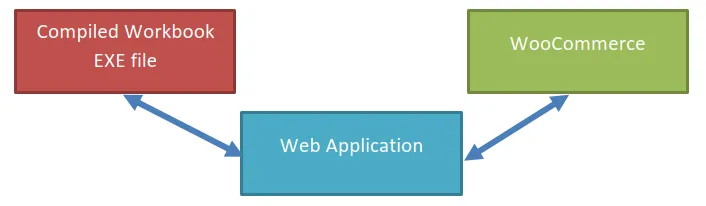
This integration kit does not require any special WordPress plug-in.
Get started
Section titled “Get started”- Verify your server meets the server requirements.
- Follow Copy the files to your server, then the base URL and local encryption key setup.
- Edit config.ini with your XLS Padlock user ID.
- Test your installation, then associate your compiled workbook EXE files.
- Choose your sales model: classical orders or subscriptions.
Topics
Section titled “Topics”Installation
Section titled “Installation”- Server requirements
- Copy the files to your server
- Base URL for activation
- Set up local encryption key
- Step 2: configure config.ini
- Step 3: test your installation
- Step 4: associate your compiled workbook EXE files
Classical orders
Section titled “Classical orders”- Configuring the classical product in workbooks.json
- Configuring the Excel workbook
- Description of the activation process
- Sending the activation token to customers
- Setting up deactivation (recommended)
- Using WooCommerce custom fields
- Blocking a customer
- Description of the validation process
Subscriptions
Section titled “Subscriptions”- Configuring the subscription product in workbooks.json
- Configuring the Excel workbook for subscriptions
- Activation process for subscriptions
- Sending the activation token for subscriptions
- Setting up deactivation for subscriptions
- Using WooCommerce custom fields (subscription)
- Blocking a customer (subscription)
- Validation process for subscriptions