Step 2: configure config.ini
- Navigate to the “inc” subfolder and edit the config.ini file stored on your server.
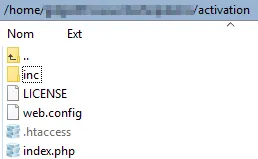
Once again, check that the config.ini file cannot be accessed publicly (the .htaccess prevents end users from accessing it) because this file contains sensitive data for generating activation keys.
The important part of the config.ini file looks like this:
[globals]
; ====== Modify the following parameters for your workbook ======; ** Your XLS Padlock user ID **xlspadlockuserid = "xps-1000000000"
; ====== XLS Padlock 2026 Protocol - Ed25519 response signing ======; Required when at least one protected workbook was packed with the; "Compatibility mode for pre-2026 activation kits" option UNCHECKED.; The kit auto-detects the protocol on every request, so leaving this; empty is fine if all your workbooks still use the legacy protocol.; A key set per product in workbooks.json takes precedence; this global; one is only a fallback. KEEP IT SECRET.xlspadlocksignkey =
; ** Default maximum number of activations per order allowed (we also take account of order quantity).; For instance, if the customer bought a quantity of 2 products and with defmaxactivperorder = 2, we would allow 4 activations.defmaxactivperorder = 2
; Determines whether the server should enforce license expiration.; When set to true, the server will manage expiration of activations based on the parameters defined in workbooks.json:;   - keymaxruns: Maximum number of executions allowed.;   - keymaxdays: Maximum number of days the activation is valid.;   - keyexpiredate: Specific expiration date for the activation.; Only one of these expiration modes should be set per product variation.; If set to false, the compiled workbook application will handle expiration embedded into the activation key without server-side checks (less secure).; Possible values: true or false.use_server_expiration = true
; ** Relative path to the wp-load.php file of your WordPress installation. If you installed the kit in a subfolder of your WordPress root folder,; there is no need to modify this link.wprelativefolder = "/../"
; ID of the target site in a multisite setup (replace with the desired site ID); You must see your admin page to find it.; If this is not a multisite, leave the value at -1.target_site_id = -1
; ====== Logging Configuration ======; **  Enable or disable logging **enable_logging = true
; ** Logging level: DEBUG, INFO, WARNING, ERROR, CRITICAL **log_level = "ERROR"
; ** Path to the log file **log_path = "logs/app.log"-
Change the value of the entry named xlspadlockuserid to your XLS Padlock user ID. This user ID is available in the registration email that you received when you purchased XLS Padlock. Important: remember that the user ID begins with xps-
-
Leave xlspadlocksignkey empty unless you use the 2026 activation protocol.
You need it only if at least one of your protected workbooks was packed with the option “Compatibility mode for pre-2026 activation kits (unsigned line-based protocol)” unticked in XLS Padlock. In that case the kit signs its answers with an Ed25519 key, and it needs the private half of that key to do so.
Whichever place you set it, treat it as you would an SSL private key: anyone holding it can forge activation responses to your customers. Check once more that config.ini cannot be reached publicly.
-
If you have placed the “xlspadlock-woocom” folder in a more complicated directory tree than a subdirectory, you need to specify the path of this directory relative to the root of your WordPress directory (the root folder contains wp-load.php).
-
Optional: if you have a WordPress multisite setup, replace the value of target_site_id with the actual ID of the site you want to target. Otherwise, leave -1 for a single WordPress site.
-
If you wish to use the log to store performed operations, you can enable error reporting by setting `error_logging` to `true` and then choosing a logging level, such as `INFO`.
- Save modifications to the config.ini file.
The web application is now ready to receive data from the compiled workbook EXE files and communicate with your WordPress/WooCommerce website.