XLS Padlock Manager
XLS Padlock Manager is a stand-alone application that lets you check whether XLS Padlock is correctly set up and registered with the current Windows user.
XLS Padlock must be registered for each Windows user who wants to use it. When you install XLS Padlock on a computer, it is typically registered only for the administrator account that performed the installation. Other user accounts must use the XLS Padlock Manager to register the software.
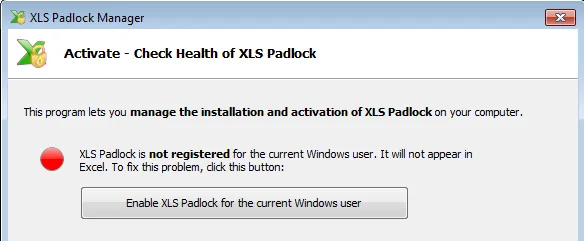
- To register XLS Padlock for your Windows user account, launch “XLS Padlock for Excel, Manager” from your Windows desktop. The following window will appear:
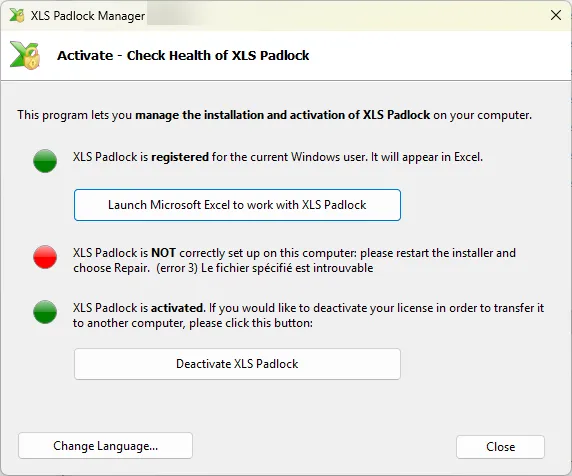
- If all indicators are green, your installation is correct.
- If the first indicator is red, click “Enable XLS Padlock for the current Windows user”. XLS Padlock will then be registered, and you can start using it. This action does not require administrative rights.