Key Generator Overview
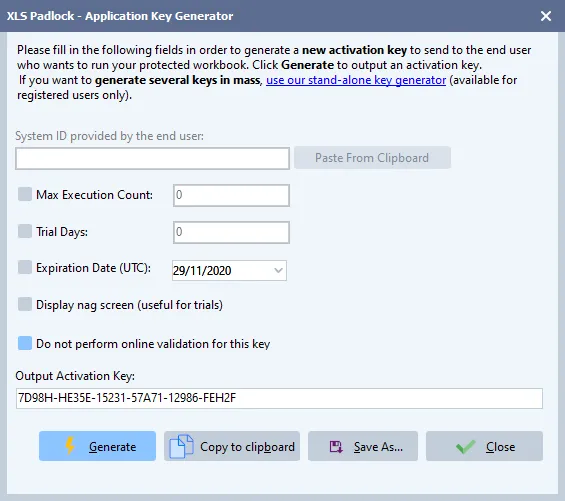
XLS Padlock includes a built-in Key Generator to create activation keys for your workbook applications.
-
For simple activation keys, just click the Generate button to instantly create a key.
-
For hardware-locked keys, enter the System ID provided by your user and then click Generate. The resulting key will be tied to that specific computer.
You can copy the generated key to the clipboard to send to your customer, or save it as a .txt file for your records.