Set Restrictions on Activation Keys
When you generate activation keys with XLS Padlock, you can apply various restrictions using the following options:
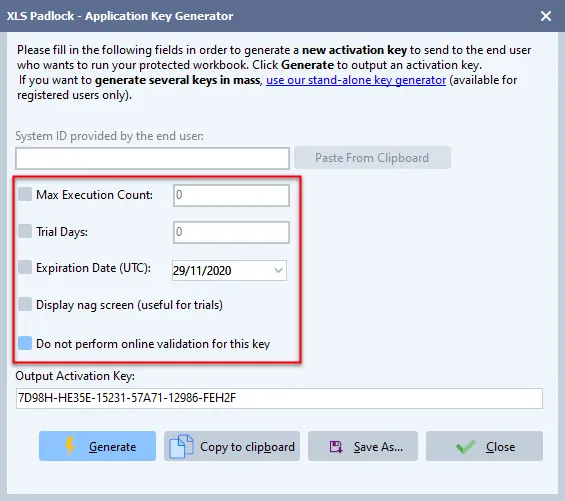
👉 Limit how many times your application can be run by enabling “Max Execution Count” and entering the desired number.
👉 Set the key to expire after a specific number of days (enable “Trial Days”) or on a specific date (enable “Expiration Date”).
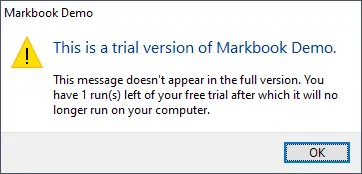
👉 Display a reminder dialog (or “nag screen”) at startup by enabling “Display Nag Screen”. This is useful for trials, as it informs the user of the remaining days or runs.
Finally, if you use online validation and need to exempt a specific key from this check (for instance, for a user in an offline environment), you can enable “Do not perform online validation for this key”. This is only recommended when used in combination with hardware-locked keys.
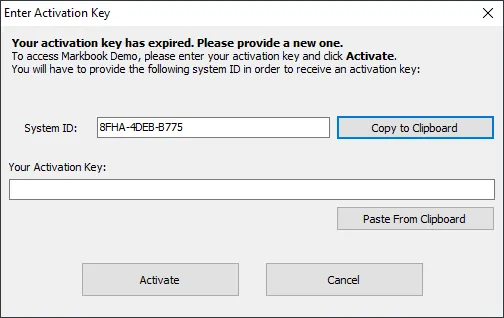
When a key’s limit (date, execution count, or trial days) is reached, the user will be prompted to enter a new key to continue using the application: