How to Protect VBA Code
Your VBA code is a valuable asset. XLS Padlock provides several layers of protection to secure it from tampering or theft. Below are two fundamental security options, followed by our most advanced solution for maximum protection.
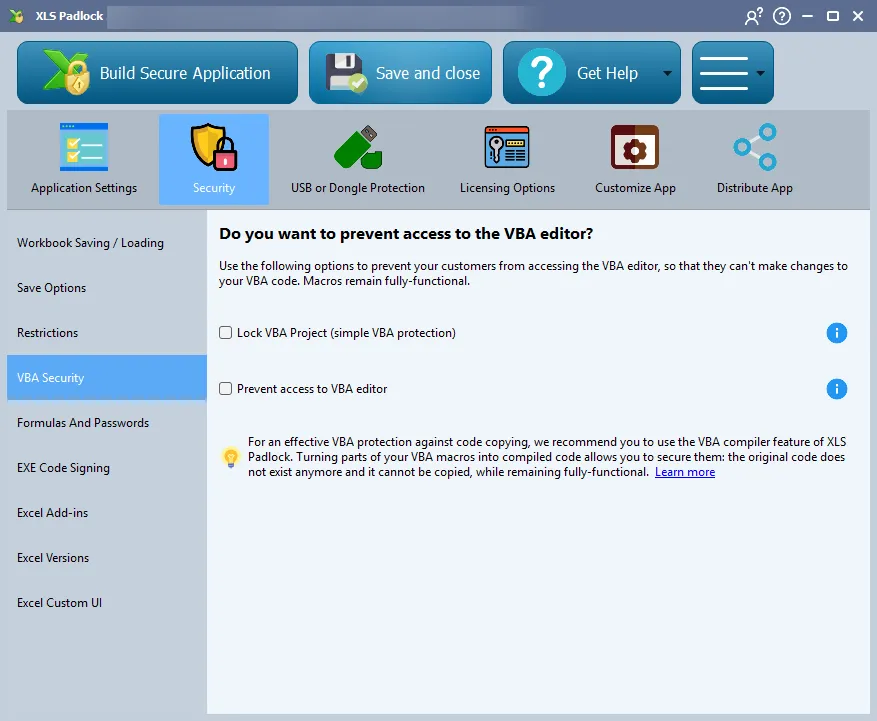
Option 1: Lock Your VBA Project
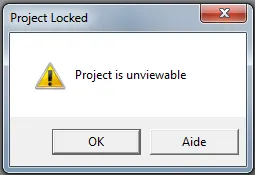
Section titled “Option 1: Lock Your VBA Project”The simplest step is to lock your VBA project. This makes your code unviewable in the Visual Basic Editor. If a user attempts to access the project, they will encounter an error message, effectively blocking casual inspection of your code.
Option 2: Prevent Access to the VBA Editor
Section titled “Option 2: Prevent Access to the VBA Editor”For an added layer of security, you can prevent the VBA editor from opening altogether. XLS Padlock will continuously monitor for and automatically close any attempts to open the VBE, ensuring that even savvy users are blocked.
Ultimate Protection: VBA Compilation
Section titled “Ultimate Protection: VBA Compilation”For the highest level of security, XLS Padlock allows you to compile your VBA code into native binary code. Unlike simple obfuscation, which only makes code difficult to read, compilation transforms your logic into a non-human-readable format that is nearly impossible to reverse-engineer. Your original VBA code is removed from the workbook and replaced by calls to the secure, compiled code within the EXE. This is the ultimate defense for your intellectual property.