Fixing 'Failed to set data for -Data-' Error
If your end-user receives the following error message when entering an activation key, it typically indicates a conflict with security software on their system.
Error setting data in registry, Failed to set data for ‘Data’
This error occurs because another program, usually an antivirus or security suite, is preventing the application from writing its activation data to the Windows Registry.
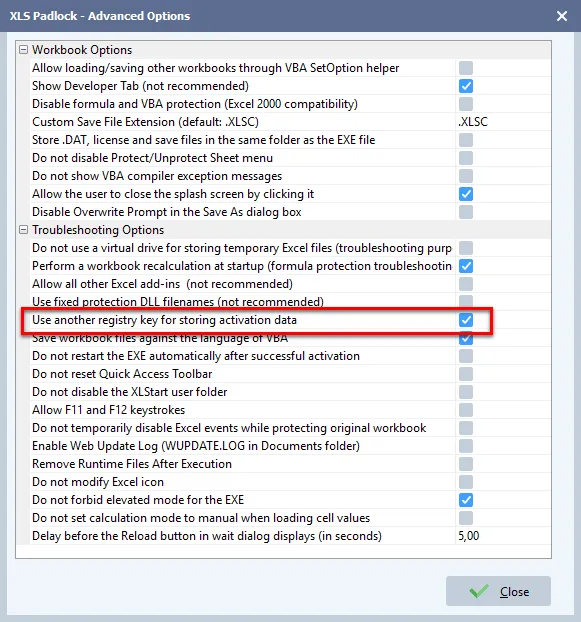
To resolve this, you can configure your XLS Padlock project to use an alternative registry key. Enable the advanced option Use another registry key for storing activation data, as shown below, and recompile your application.