When using the Save defined cell values only mode, you must specify which cells your application will save and restore.
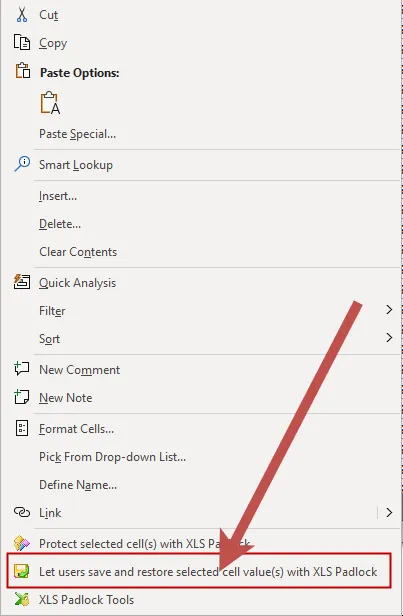
👉 To do this, simply right-click on one or more cells and choose “Let users save and restore selected cell value(s) with XLS Padlock” from the context menu.
XLS Padlock will confirm that the selected cells are marked for saving and restoring.
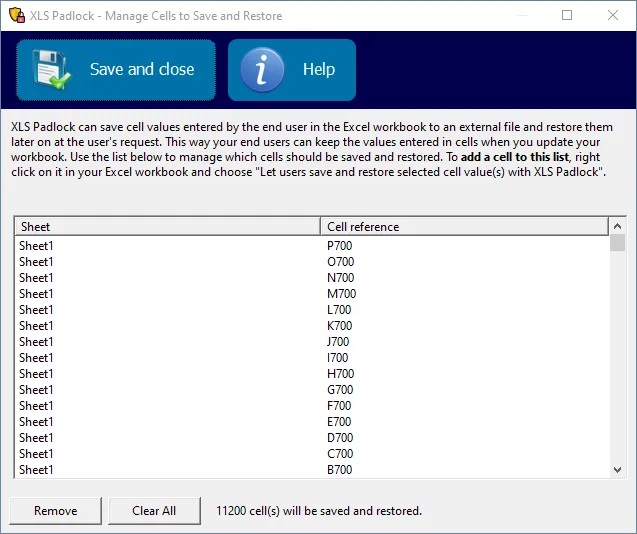
To view all cells configured for saving, click “Cell Save And Restore” in the XLS Padlock ribbon tab:
This opens a window listing all configured cells. From here, you can remove individual cells or clear the entire list. Review this list whenever you change the workbook layout, so that marked cells still point to the intended addresses.