Stap 3: koppel het EXE-bestand van uw gecompileerde werkmap
-
Navigeer in XLS Padlock naar de pagina Activation Keys / Online Activation.
Voer in het veld Base Activation URL de URL in naar de map xlspadlock-onlineact (zie Basis-URL voor activering) op uw webserver, gevolgd door /getactivation (plaats geen afsluitende schuine streep /).
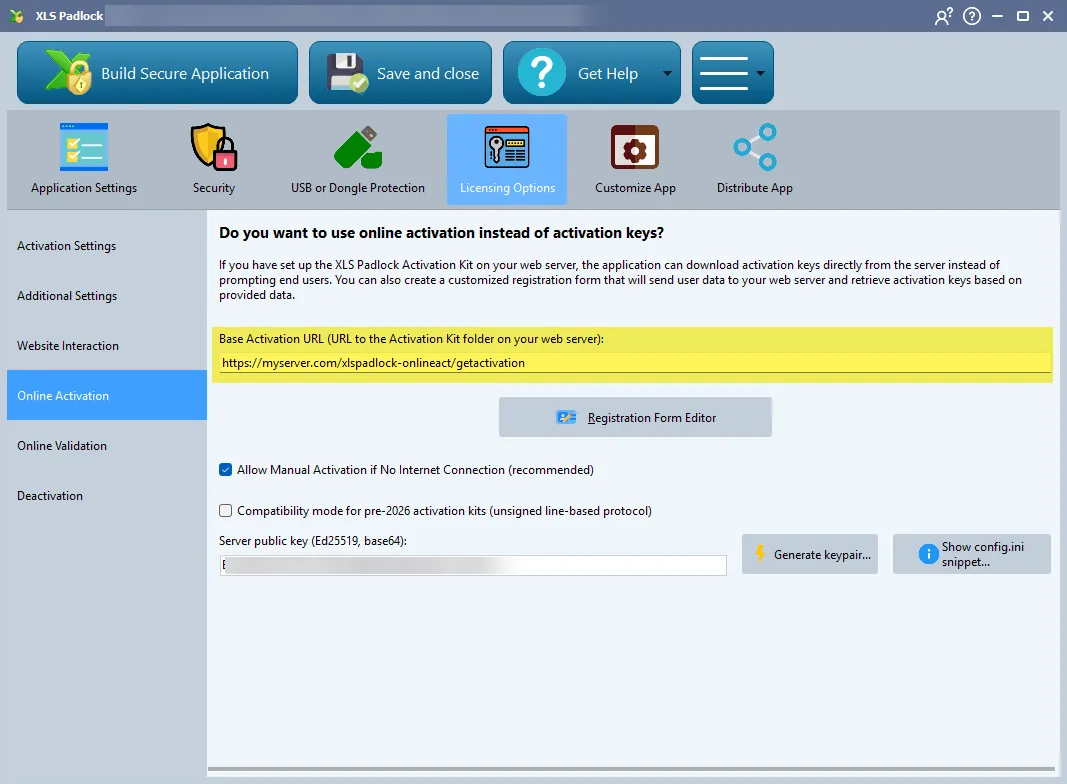
Als de URL om toegang te krijgen tot uw map xlspadlock-onlineact op de server bijvoorbeeld
http://activation.mydomain.comis, dan is de in te voeren basis-URL:http://activation.mydomain.com/getactivation -
Compileer uw werkmaptoepassing. Deze is nu gekoppeld aan de webapplicatie.
-
Voer een test uit.