Paso 3: asociar el archivo EXE de su libro compilado
-
En XLS Padlock, vaya a la página Activation Keys / Online Activation.
En el campo Base Activation URL, introduzca la URL de la carpeta xlspadlock-onlineact (consulte URL base para la activación) en su servidor web seguida de /getactivation (no ponga una barra final /).
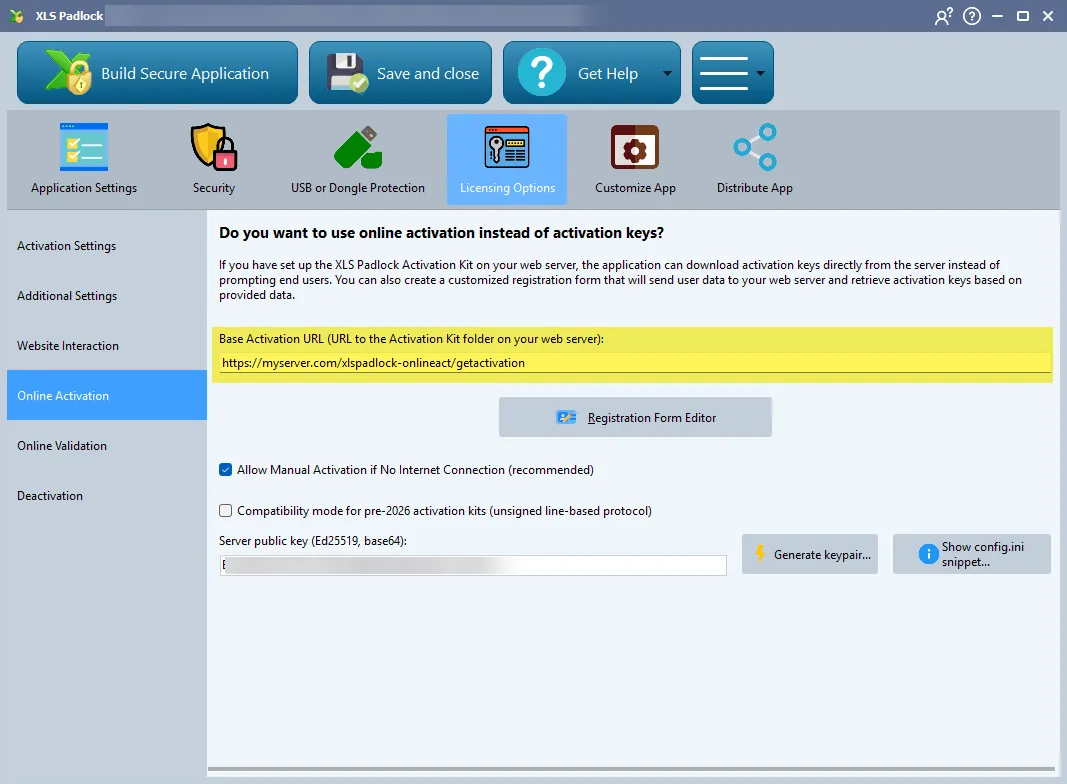
Por ejemplo, si la URL para acceder a su carpeta xlspadlock-onlineact en el servidor es
http://activation.mydomain.com, la URL base que debe introducir es:http://activation.mydomain.com/getactivation -
Compile la aplicación de su libro. Ahora está asociada a la aplicación web.
-
Realice una prueba.