Descripción del proceso de activación
Para determinar el número de activaciones permitidas para su libro compilado en EXE, la aplicación web almacena datos personalizados en los pedidos de WooCommerce gracias a la función de campos personalizados (Custom Fields).
Cuando un cliente compra su libro compilado en EXE a través de WooCommerce, se genera un pedido que aparece en la lista de pedidos (Orders):
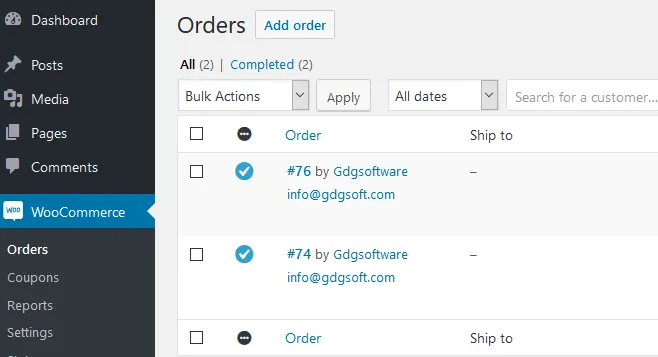
Los procesos de activación y validación gestionados por la aplicación web utilizan el activation token (token de activación) que identifica el pedido en la base de datos de WooCommerce (véase Configuración del libro de Excel).
Por ejemplo, [email protected] es un token de activación válido. La aplicación web utilizará el número que aparece después del carácter - para identificar el ID del pedido en la base de datos de WooCommerce. A continuación, comprobará si la dirección de correo electrónico registrada coincide con el correo electrónico proporcionado en el token de activación antes del carácter -.
Este token de activación debe enviarse al cliente que compró su libro. Este token les permite activar el libro. Algunos complementos de WooCommerce permiten enviar correos electrónicos a los clientes después de la compra (véase Envío del token de activación a los clientes): asegúrese de incluir el token de activación en el correo electrónico.
Cuando un cliente ejecuta el archivo del libro compilado en EXE, aparece un cuadro de diálogo que le indica que se requiere una activación. Como se ha dicho antes, el cuadro de diálogo debe pedir al menos el token de activación (puede darle el nombre que desee, pero el ID del campo HTML asociado debe ser “token”, véase Configuración del libro de Excel).
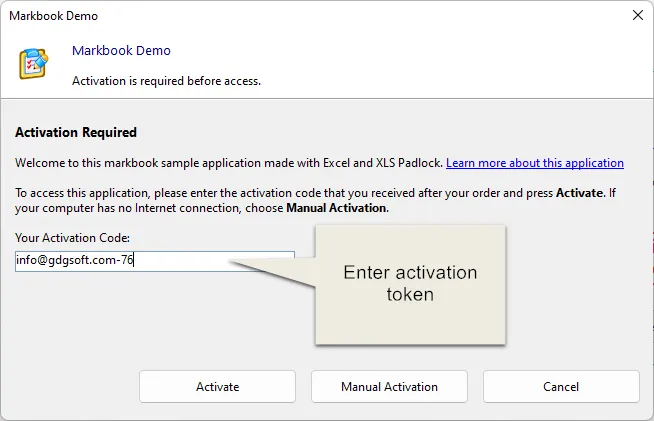
Cuando el cliente hace clic en Activate, los datos se envían al servidor de activación:
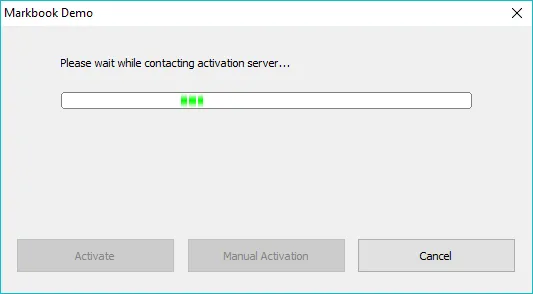
El kit de WooCommerce en el servidor de activación comprobará el estado del pedido y diferentes ajustes.
La activación se denegará para cualquier otro estado, como pending, processing, on-hold, canceled, refunded o failed, para garantizar que solo los clientes que han pagado puedan activar el libro.
Tras una activación correcta, se muestra un mensaje de confirmación y el libro compilado en EXE se reinicia. Si se produce un error, se muestra el cuadro de mensaje correspondiente y el cliente puede intentar activar de nuevo.