Comment protéger le code VBA
Votre code VBA est un actif précieux. XLS Padlock offre plusieurs niveaux de protection pour le sécuriser contre toute altération ou tout vol. Vous trouverez ci-dessous deux options de sécurité fondamentales, suivies de notre solution la plus avancée pour une protection maximale.
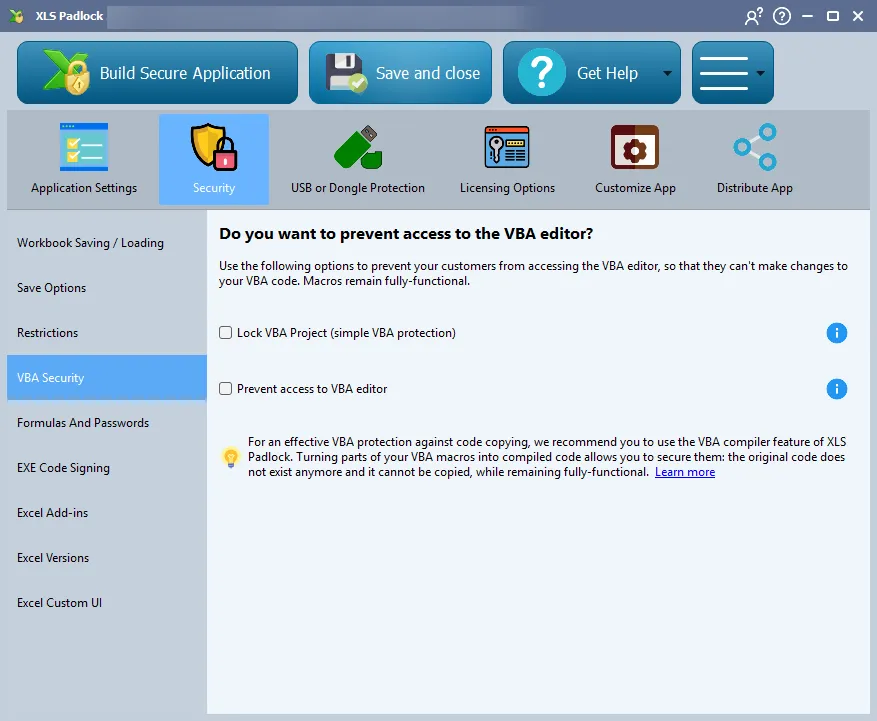
Option 1 : verrouiller votre projet VBA
Section titled “Option 1 : verrouiller votre projet VBA”L’étape la plus simple consiste à verrouiller votre projet VBA. Cela rend votre code non consultable dans l’éditeur Visual Basic. Si un utilisateur tente d’accéder au projet, il rencontrera un message d’erreur, ce qui bloque efficacement l’inspection occasionnelle de votre code.
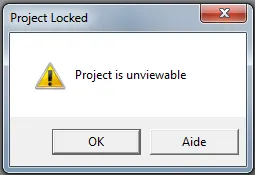
Option 2 : empêcher l’accès à l’éditeur VBA
Section titled “Option 2 : empêcher l’accès à l’éditeur VBA”Pour un niveau de sécurité supplémentaire, vous pouvez empêcher complètement l’ouverture de l’éditeur VBA. XLS Padlock surveille en permanence et ferme automatiquement toute tentative d’ouverture du VBE, ce qui garantit que même les utilisateurs avertis sont bloqués.
Protection ultime : la compilation VBA
Section titled “Protection ultime : la compilation VBA”Pour le plus haut niveau de sécurité, XLS Padlock vous permet de compiler votre code VBA en code binaire natif. Contrairement à la simple obfuscation, qui rend uniquement le code difficile à lire, la compilation transforme votre logique dans un format non lisible par un humain, qui est presque impossible à rétro-concevoir. Votre code VBA d’origine est retiré du classeur et remplacé par des appels au code compilé sécurisé contenu dans l’EXE. C’est la défense ultime pour votre propriété intellectuelle.