
After distributing your Excel workbook application, you will eventually need to provide updates to your users. XLS Padlock offers several tools to streamline this process.
An important consideration for updates is how your application saves user data. You should be aware of the different save modes offered by XLS Padlock before you build your application.
If your workbook will be updated often and your users only need to modify a few cell values, the Save defined cell values only (.XLSCE file) mode is the best choice. This mode lets you update the main workbook file without affecting user data, as XLS Padlock saves and restores only the cell values you have designated.
When you update your source workbook, the most direct way to distribute the update is to recompile it and send the new EXE file to your customers.
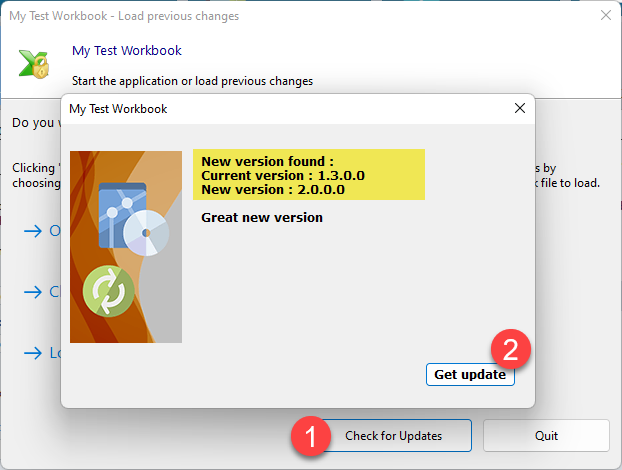
👉 However, manually downloading and replacing the EXE file can be tedious for end-users. To simplify this, XLS Padlock provides an automatic web update feature. You can configure your application to check for updates online and notify users when a new version is available:
This feature can be configured quickly and directly within XLS Padlock:
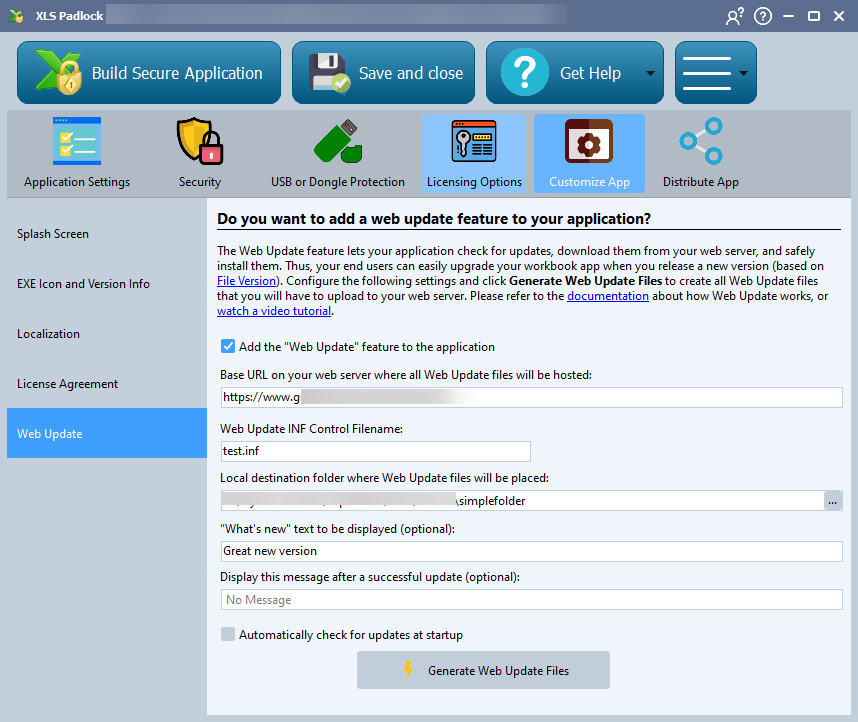
👉 To set up your own update system, you will need a web server or hosting space where you can place files for direct download. Then, follow the instructions on the how to set up automatic web updates page.
Tip
Watch our video tutorial on how to set up automated web updates for your Excel workbooks.


