
Hardware-locked activation keys are a powerful way to prevent casual sharing of your protected workbook by tying each license to a specific computer. This guide shows you how to set them up.
Tip
About Hardware-Locked Keys #
A hardware-locked key will only work on the computer for which it was generated. It is based on a unique System ID derived from the user’s computer hardware, making the key useless if shared with others.
1. Enable Hardware-Locked Keys #
In the XLS Padlock settings, check both “End users must enter an activation key…” and “Use hardware-locked keys”:
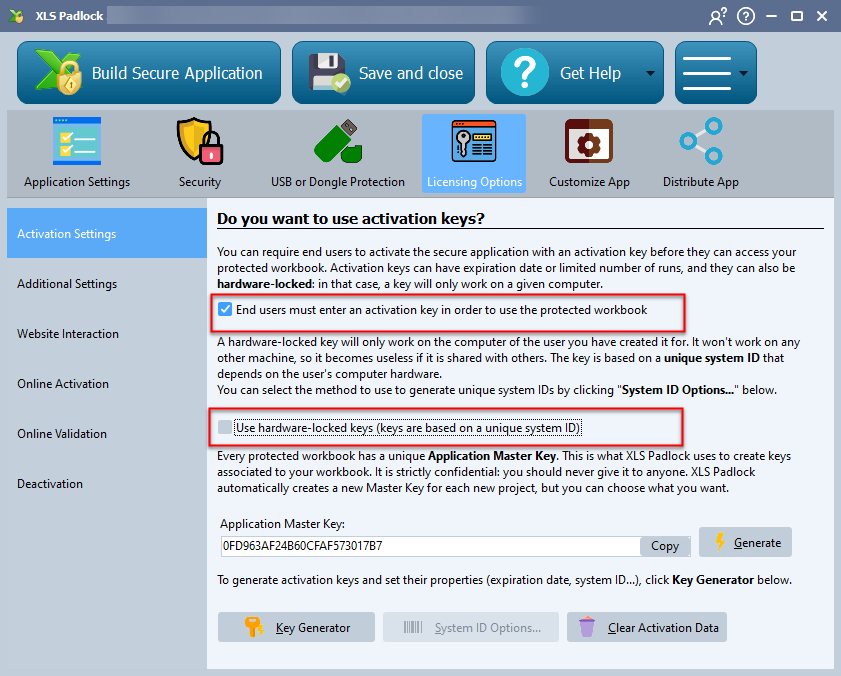
You can optionally configure which hardware components are used to generate the System ID by clicking “System ID Options…“. It is important not to change these options after you have started deploying your application.
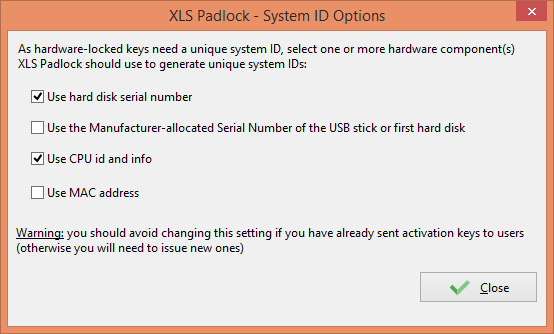
Notes on System ID Components
- CPU: If the CPU has no built-in serial ID, its general information is used. For identical hardware, this could result in the same ID. It is better to combine several hardware options.
- MAC Address: If users have multiple ways to connect to the internet (Wi-Fi, 4G, etc.), their MAC address can change, which would invalidate their key.
2. How Users Get Their System ID #
When a user runs your application for the first time, they will be prompted to enter an activation key. Their unique System ID will be displayed in this window. The user must copy this ID and send it to you.
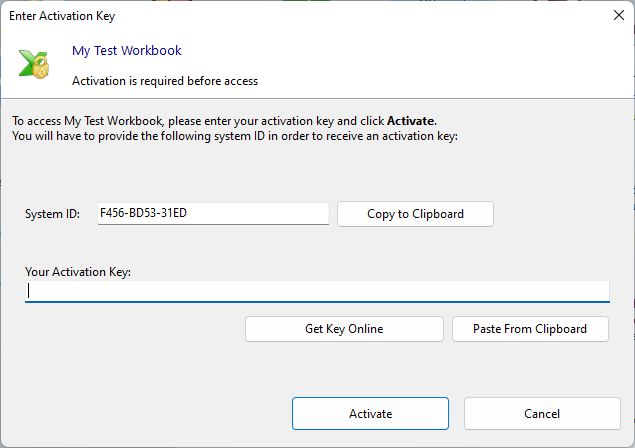
Automating Key Delivery
To avoid manually exchanging System IDs, you can configure a “Get Key Online” button that sends the user to your website with their System ID, or use the fully automated Online Activation feature.
3. Generate the Activation Key #
Open the Key Generator in XLS Padlock. Paste the customer’s System ID into the designated field and click Generate. You can then copy the key and send it to your customer.
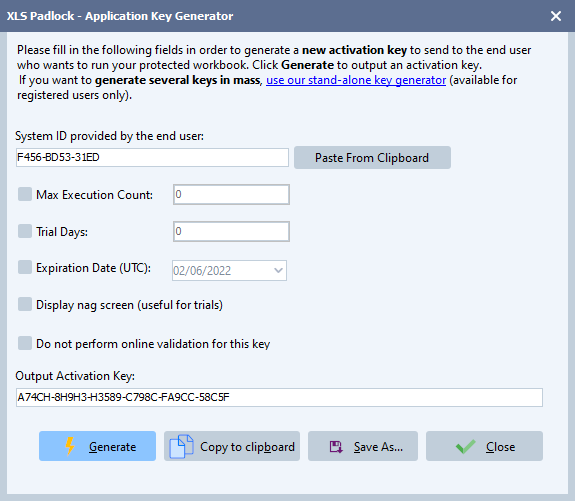
When the customer enters the key, the application will be activated and will not ask for the key again (unless it has an expiration date). Because the key is tied to their System ID, it will not work on any other computer.
👉 Want to automate the creation of hardware-locked activation keys? Read more about online activation.


